Redz Hub Script (2026) — Working Scripts, Features & Full Setup Guide
Tested by: Jake Kriger – tested on Samsung Galaxy A54 (Android 14, Delta + Arceus X Neo) and Windows 11 PC (Codex). All 7 games verified loading correctly as of June, 2026.
Quick Answer
Loader string: loadstring(game:HttpGet("https://raw.githubusercontent.com/huy384/redzHub/refs/heads/main/redzHub.lua"))()Best executor (PC): Codex — no key, fast injectionBest executor (Android): Arceus X Neo — no key, stableWorks on: Blox Fruits, Fisch, PS99, Blade Ball, Meme Sea, Grow a Garden, King LegacyKey required: No (from the hub — executors vary)
Hours of grinding the same mobs, sailing the same seas, catching the same fish – Redz Hub Script handles all of it automatically. This page has every working script for 2026, a full setup guide for PC and Android, and everything you need to get the Redz Hub dashboard running inside your game within minutes.
Scripts are right below. Setup guide is further down. Everything on this page has been tested and verified after the latest Roblox patches.
⚠️ Educational Notice: This guide explains Roblox script executors and automation loaders for educational awareness. Using third-party scripts violates Roblox’s Terms of Service and may result in permanent account suspension. Understand the risks before proceeding.
What Is Redz Hub Script?
Redz Hub Script is a multi-game Roblox script hub written in Lua. It loads a graphical control panel inside your game where you toggle automation features — auto farm, auto quest, teleport, ESP, and more — depending on which game you’re in.
Unlike single-game scripts, Redz Hub works across seven or more titles from one loader string. You run it through a script executor like Delta or Arceus X. No app to install — just paste, execute, and the dashboard appears inside Roblox.
It’s most commonly used in Blox Fruits where farming manually through the seas takes hours. The script handles that entire loop without input.
ℹ️ Note on GitHub Source
The original Redz Hub repository was suspended earlier in 2025. The loader has since moved to a new GitHub account (huy384/redzHub). All script links on this page point to the current working source. Older articles may still link to the dead repo – those scripts return a 404 error.
All Redz Hub Scripts — Working 2026
All scripts below use the same current loader. Copy the one for your game and paste it into your executor’s script box, then hit execute.
Redz Hub Scripts — Working 2026
Latest working Redz Hub Roblox scripts for popular games including Blox Fruits, Fisch, Pet Simulator 99, Blade Ball, Meme Sea, Grow a Garden, and more. The universal loader automatically detects your game and loads the correct features.
Redz Hub — Main Script
Lua — Universal Loader
Redz Hub — Blox Fruits
Lua — Auto Farm Script
Redz Hub — Fisch Script
Lua — Auto Fishing
Redz Hub — Pet Simulator 99
Lua — Pet Simulator Script
Redz Hub — Blade Ball
Lua — Blade Ball Script
Redz Hub — Meme Sea
Lua — Meme Sea Script
Redz Hub — Grow a Garden
Lua — Grow a Garden Script
Redz Hub — King Legacy
Lua — King Legacy Script
Redz Hub No Key Scripts — Direct Execute
One of the most-searched questions about this hub: does Redz Hub Script need a key? Here is the direct answer.
The Redz Hub loader itself requires no key. Paste the script and it runs immediately — no verification page, no countdown. The key requirement only comes from your executor, not from Redz Hub.
Delta Executor requires a free key to unlock its execute function — that’s a Delta limitation. If you use Arceus X Neo or Codex, there’s no key step at all.
Read Also: Delta 99 Nights in the Forest Script
Executors That Skip the Key Process
Executor | Platform | Key Required | Notes |
|---|---|---|---|
Arceus X Neo | Android | No Key | Best keyless option on Android |
Codex | PC | No Key | Fast injection, very stable |
Hydrogen | Android | No Key | Lightweight, good for low-end devices |
Fluxus | PC + Android | Minimal | Simpler process than Delta |
Delta Executor | Android | Key Required | Free key, takes ~2 minutes |
Redz Hub Script Features — Full Breakdown
Auto Farm & Auto Quest
The most-used feature. Redz Hub automatically kills mobs, collects drops, and loops quests in the background. In Blox Fruits, this means you can leave it running through seas without touching the screen. Quest selection is automatic based on your current level range.
Teleport System
Instant travel to bosses, specific islands, NPCs, or zones — depending on the game. In Blox Fruits, this is most useful for going directly to raid bosses without sailing manually. Saves several minutes per run when grinding specific drops.
ESP & Visual Assists
Highlights players, chests, fruits, or mobs through walls and terrain. In Blox Fruits, fruit ESP is particularly useful — it shows devil fruit spawn locations on the map before other players find them.
Anti-AFK & Auto Rejoin
Prevents Roblox from kicking you during idle farming sessions. If you get disconnected, Auto Rejoin puts you back into the same server type automatically — without needing to find a new lobby.
Auto Fishing (Fisch)
Handles the complete fishing loop — cast, wait for bite detection, reel in — without any input from you. Filter settings let you target specific fish types so inventory space isn’t wasted on low-value catches.
Pet Auto Level (Pet Simulator 99)
Automates the hatch, equip, and upgrade cycle. PS99’s progression is extremely repetitive — the same actions hundreds of times per session. Redz Hub cuts that grind significantly, especially for leaderboard climbing.
Speed & Combat Boosts
Increases movement speed and attack rate. In Blade Ball, this helps with deflect timing. In Blox Fruits, speed boost improves farming efficiency. Keep values moderate — extreme speeds are more noticeable to detection systems.
Read Also: Blox Fruits Defense Script vs PvP Script
Feature Availability by Game
Feature | Blox Fruits | Fisch | PS99 | Blade Ball | Meme Sea |
|---|---|---|---|---|---|
Auto Farm | ✓ | ✗ | ✓ | ✗ | ✓ |
Auto Quest | ✓ | ✗ | ✗ | ✗ | ✓ |
Teleport | ✓ | ✗ | ✗ | ✗ | Partial |
ESP | ✓ | ✗ | ✗ | ✓ | ✗ |
Auto Fishing | ✗ | ✓ | ✗ | ✗ | ✗ |
Pet Leveling | ✗ | ✗ | ✓ | ✗ | ✗ |
Anti-AFK | ✓ | ✓ | ✓ | ✓ | ✓ |
Speed Boost | ✓ | ✗ | ✗ | ✓ | ✓ |
Supported Games – What Redz Hub Does in Each
🏴☠️ Blox Fruits
The most feature-complete game. Auto farm covers all three seas, fruit ESP shows spawn locations in real time, and boss teleport skips the sailing entirely. Best for Sea 2 and Sea 3 progression grinding.
🎣 Fisch
Auto fishing handles the full cast-wait-catch loop. Resource filtering targets specific fish types. Useful for fishing rank grinding without the repetitive input.
🐾 Pet Simulator 99
Auto hatch, equip, and pet leveling. PS99’s grind is one of the most repetitive in Roblox — Redz Hub cuts session time significantly for leaderboard climbing.
⚔️ Blade Ball
Deflect automation triggers at optimal timing. Speed boost helps with positioning in later rounds when ball speed increases. Most useful from round 5+ onward.
🌊 Meme Sea
Auto farm and quest completion for resource grinding. Similar structure to Blox Fruits but tuned to Meme Sea’s map layout and mob mechanics.
🌱 Grow a Garden
Automates the plant, water, and harvest cycle. Maximizes crop output per session without active play. Good for resource accumulation goals.
👑 King Legacy
Auto farm covers quest grinding and mob loops. Boss teleport works for most boss locations. Feature set is lighter than Blox Fruits but handles the main grind.
How to Use Redz Hub Script — Full Setup Guide
PC Setup — Codex or Fluxus
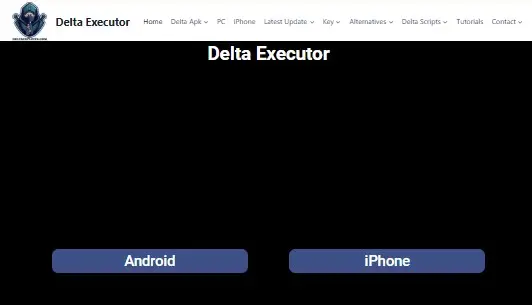
Download Your Executor
Go to the official site for Codex or Fluxus and download the latest PC version. Avoid any third-party download links — bundled malware in fake executor files is extremely common in this space.
Launch Roblox and Join Your Game
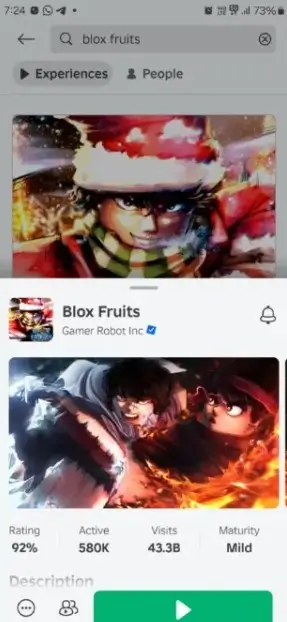
Open Roblox, log in, and join whichever game you want to use the script in. Let the game fully load before doing anything else — don’t inject on the loading screen.
Inject the Executor
Open your executor and click Inject or Attach. Wait for the confirmation message. If injection fails, right-click the executor and run as administrator.
Paste and Execute the Script
Copy the Redz Hub script from the section above. Paste it into the executor’s script field and click Execute. The Redz Hub dashboard loads inside the game.
Configure the Dashboard
Toggle features individually. Start with auto farm at moderate speed before enabling everything. Avoid turning on all features simultaneously on the first run.
Android Setup — Delta Executor
Download Delta from the Official Site
Go to DeltaExploits.com and tap the Android download button. Scroll to the download section and get the latest version. Do not download Delta APKs from third-party sites or Telegram groups.
Install the APK
You’ll need to enable “Install from unknown sources” in Android settings. After installing, launch Delta, then open Roblox and join your game.
Get Your Key
Once you’re in the game, the Delta panel appears. TapReceive Key— a verification URL is automatically copied to your clipboard.
Complete Key Verification
Open your browser and paste the URL. Wait 5 seconds → tap Continue → complete the tasks → tap Unlock Content → tap Continue on the Create Key screen. Copy your key after the final countdown.
Enter Key and Execute
Back in Delta, paste the key into the Enter Key field and tap Continue. Paste the Redz Hub script into the execute field and run it.
Save Script for Reuse
Tap Upload → name it “Redz Hub” → paste the script → tap Add Script. Next time you won’t need to copy-paste again.
Android — Keyless Option (Arceus X Neo)
If you want to skip the Delta key process entirely, Arceus X Neo is the cleanest Android alternative. Download from the official Arceus X site, install, attach to Roblox, paste the same script string, and execute. No key page, no verification steps.
iOS Setup — What Actually Works in 2026
iOS is significantly restricted for script execution. Apple’s sandboxing prevents standard injection methods that work on Android.
⚠️ iOS Reality Check
As of 2026, no fully reliable Roblox script executor exists for iOS. Delta iOS has limited functionality. Sideloaded options via AltStore expire every 7 days on free Apple accounts and require a Mac or PC to re-sign. If you’re serious about using Redz Hub, an Android device or PC is the practical choice. iOS support may improve but there’s no reliable ETA.
Best Executors for Redz Hub Script (2026)
| Executor | Platform | Key? | Inject Speed | Stability | Best For |
|---|---|---|---|---|---|
| Codex | PC | No | Very Fast | ⭐⭐⭐⭐⭐ | PC power users |
| Arceus X Neo | Android | No | Fast | ⭐⭐⭐⭐⭐ | Best keyless Android |
| Delta Executor | Android | Free Key | Fast | ⭐⭐⭐⭐ | Stable Android users |
| Fluxus | PC + Android | Minimal | Medium | ⭐⭐⭐ | Beginners |
| Hydrogen | Android | No | Medium | ⭐⭐⭐ | Low-end Android |
| Delta iOS | iOS | Key | Slow | ⭐⭐ | iOS (limited) |
Best Executor for PC
Codex is currently the top PC choice for Redz Hub. No key, fast injection, and consistent performance across Roblox client updates. Fluxus is a decent backup option if Codex has an issue.
Best Executor for Android
Arceus X Neo for keyless execution — cleanest experience. Delta Executor if you prefer something with a larger community and don’t mind the 2-minute free key setup. Both are stable on most Android versions.
Best Executor for iOS
No strong recommendation as of 2026. iOS executor reliability is poor across the board. Use Android or PC if the option is available to you.
Redz Hub vs Other Script Hubs — Which Is Better?
| Feature | Redz Hub | Hoho Hub | Zen Hub | Codex Hub |
|---|---|---|---|---|
| Blox Fruits Features | Strong | Strongest | Good | Good |
| No Key Option | ✓ Yes | ✗ Key Required | ✓ Yes | ✓ Yes |
| Multi-Game Support | 7+ games | Mainly BF | Several | Limited |
| Mobile Compatible | ✓ Yes | ✓ Yes | ✓ Yes | PC Focus |
| Update Frequency | Regular | Very Regular | Irregular | Regular |
| Community Size | Large | Very Large | Medium | Medium |
| GUI Quality | Clean | Clean | Basic | Clean |
Redz Hub vs Hoho Hub
Hoho Hub is the strongest Blox Fruits hub available — larger community, more frequent updates, and slightly deeper BF-specific features. But it requires a key, while Redz Hub’s main loader doesn’t. For multi-game use across 7+ titles, Redz Hub is the more versatile choice. If Blox Fruits is your only game, either works well — pick based on which executor you’re already using.
Redz Hub vs Zen Hub
Zen Hub is lighter and simpler but updates irregularly. Redz Hub has broader game coverage and a more active development schedule. Zen Hub is a useful backup when Redz Hub is temporarily down after a patch — not a primary replacement.
Redz Hub vs Codex Hub
Codex Hub is PC-focused and fast. Redz Hub’s real advantage is mobile compatibility — it’s the better choice for Android users. On PC, both are competitive; Codex might have a slight edge in injection speed but Redz Hub covers more games.
Is Redz Hub Script Safe to Use?
🚫Roblox Terms of Service Warning
Script executors violate Roblox’s Terms of Service. Using Redz Hub or any script hub carries a real risk of account suspension. Do not use it on accounts you cannot afford to lose.
Ban Risk — What Actually Happens
Roblox uses server-side anomaly detection — not just client-side scanning. Accounts flagged for bot-level behavior patterns (constant movement, zero idle time, abnormal farming rates) get investigated and suspended. The risk scales directly with how aggressively you use the script.
Most ban reports in the community come from players who ran max-speed auto farm for 8+ hours straight on their main accounts. That’s detectable. Using the script at moderate settings on a secondary account is the standard approach in the scripting community.
How to Lower Detection Risk
- Set auto farm speed to 70–80% of maximum — it looks more natural
- Limit sessions to 3–4 hours at a time, not overnight marathons
- Use a secondary account — not your main
- Avoid ESP in PvP modes where other players can report you
- Don’t enable every feature simultaneously
- Keep the script updated — outdated scripts sometimes produce unusual server requests
Safe Download Sources Only
Download scripts exclusively from the GitHub link above or the official Redz Hub site. Avoid Telegram groups, random Discord servers, and third-party paste sites. Malware bundled inside fake script files is extremely common in the Roblox scripting niche — a legitimate Redz Hub script is a plain text Lua string, not an EXE file.
⚠️Red Flags to Watch For
Any site asking you to download an EXE to “unlock” the script. Scripts with heavily obfuscated loader code that doesn’t match the known GitHub source. Sites claiming “guaranteed anti-ban” or “100% undetectable” — no script can make that promise. Fake “updated 2026” articles linking to the old dead repository.
Redz Hub Script Not Working? — Fix It Here
Script Fails to Load or Execute
Most common cause: injecting before the game fully loads. Wait until you’re inside the game and all assets have loaded before pasting the script. Also check your executor version — outdated executors break after Roblox client updates and need to be updated independently.
If the script throws an HTTP error, GitHub may be temporarily rate-limiting requests from your IP. Wait 3–5 minutes and try again.
Key Not Being Accepted
This is an executor issue, not a Redz Hub issue. Keys from Delta expire after a set period. Go back through the key generation process to get a fresh one. When copying the key, make sure there are no extra spaces at the beginning or end — that’s a common cause of “invalid key” errors.
Dashboard Not Opening In-Game
Script executed but no UI appeared: the game may have updated and temporarily broken hub compatibility. Check the official Redz Hub Telegram for a status update. Most patches are live within 24–48 hours of a major game update breaking things.
Game Crashing After Injection
Lower-spec Android devices sometimes crash when running Roblox and an executor simultaneously. Before launching, close all background apps to free RAM. If crashes persist with Delta, switch to Hydrogen — it’s significantly lighter and better suited for older devices.
Features Not Showing for Specific Games
If the dashboard loads but some game-specific features are missing, confirm you joined the correct game. Redz Hub auto-detects the game on load — if you were in a different game when you executed, features for your current game may not have initialized properly. Re-execute after rejoining.
Script Outdated After a Game Update
The GitHub link on this page always points to the main branch (latest commit). If you saved an old script string locally, replace it with the current one from above. Outdated loader strings are the single most common reason scripts stop working after Roblox game patches.
Version & Update History
Current Version — All Scripts Verified Working
Scripts tested on Android (Delta + Arceus X) and PC (Codex). All 7 supported games confirmed loading correctly. GitHub source: huy384/redzHub — main branch.
Blox Fruits Auto Quest Fix
Sea 3 auto quest was breaking after a Blox Fruits update. Patch pushed within 36 hours. Quest detection logic updated for new NPC positions.
Grow a Garden & King Legacy Added
Two new game modules added. Feature sets are lighter than Blox Fruits but cover the main automation loops for both games.
GitHub Repository Migration
The original Redz Hub GitHub account was suspended. Loader moved to new account (huy384). All scripts updated to use the new source URL. Old links from pre-2026 articles return 404 errors.
Pet Simulator 99 Module Expanded
Auto ranking and leaderboard automation added to the PS99 module. Previous version only had basic pet leveling.
How to Stay Updated
- Bookmark this page — scripts are checked and updated after each major Roblox patch
- Join the official Redz Hub Telegram channel for real-time update notifications
- Watch the GitHub repository to get notified on new commits
Frequently Asked Questions
Conclusion
Redz Hub is the most practical multi-game Lua hub for players who want automation across 7+ titles without dealing with key systems or PC-only limitations. Best overall setup: Arceus X Neo (Android) or Codex (PC) + the loader string from the scripts section above. No key on either. Inject after the game fully loads, start features one at a time, and keep sessions under 4 hours on a secondary account.
For Blox Fruits specifically: if you only play BF and want the deepest feature set, Hoho Hub is worth testing alongside Redz Hub. For everything else — Fisch, PS99, Blade Ball, Meme Sea — Redz Hub is the cleaner choice.
Check back after major Roblox updates. Scripts are verified and updated on this page within 48 hours of patches going live.
GitHub source: huy384/redzHub (main branch) — bookmark this, not a cached loader string.